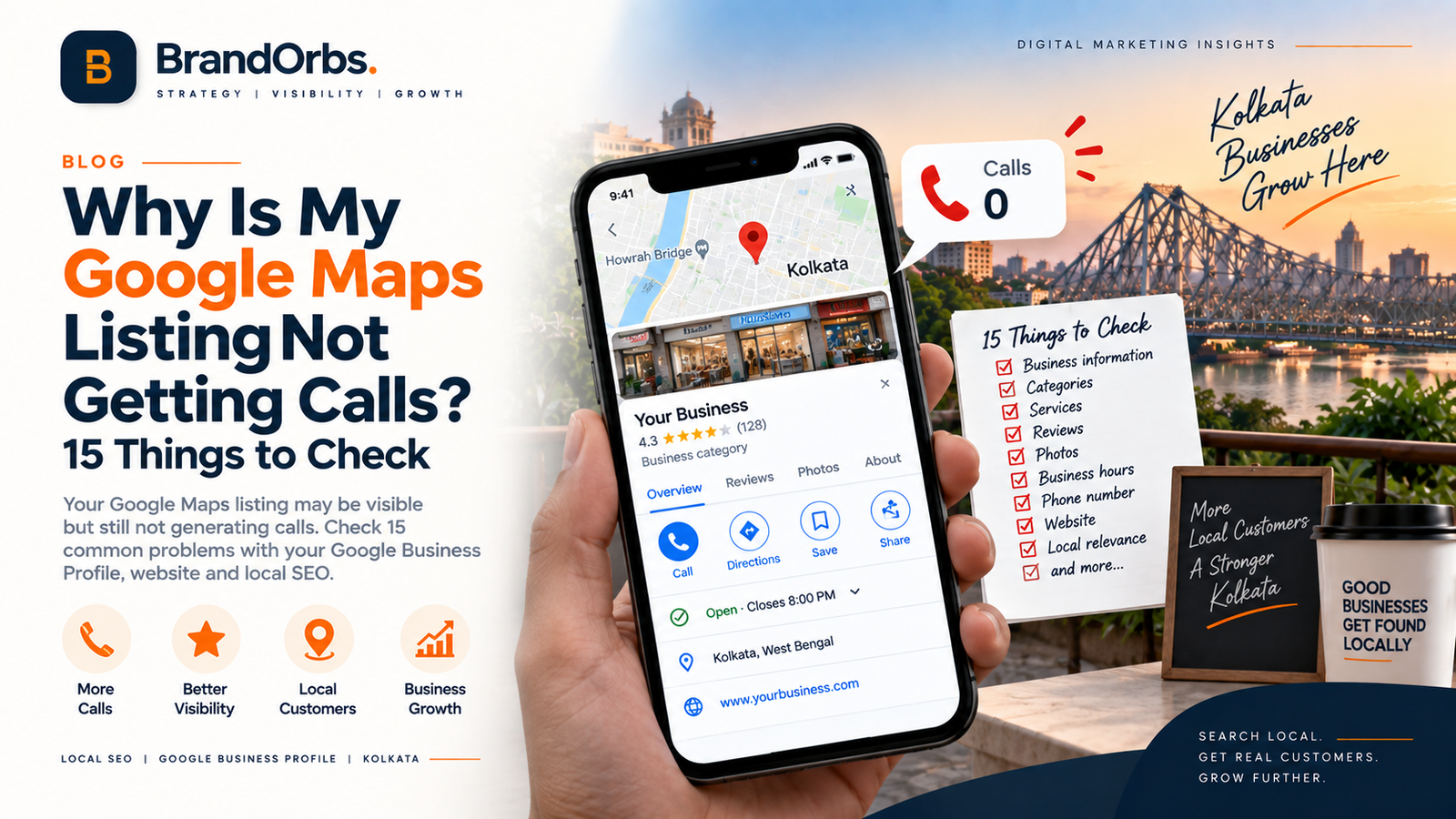
Why Is My Google Maps Listing Not Getting Calls?
Your business appears on Google Maps. Your Google Business Profile is verified. You may even see views and searches in your profile insights.
But the phone is not ringing.
This is a common problem for local businesses, and it can be confusing because being visible on Google Maps and converting that visibility into enquiries are two different things.
A business can appear in local search results but still lose potential customers to competitors because the profile is incomplete, the wrong searches are generating visibility, the business information is unclear, the website does not build enough confidence or customers simply choose another listing.
Google says local search results are mainly influenced by relevance, distance and prominence. Google also recommends keeping Business Profile information complete and accurate and managing customer reviews and other profile information.
So if your Google Maps listing is not getting calls, don't immediately assume that you need more reviews or more keywords.
First, diagnose where the problem actually exists.
Google Maps Visibility vs Google Maps Leads
There are several different stages between a customer searching on Google and actually calling your business.
A typical local customer journey might look like this:
Google Search → Maps Listing → Profile → Website/Call → Enquiry → Customer
A problem at any stage can reduce the number of leads.
For example, your profile might receive impressions but few calls.
Or it might receive calls but very few qualified enquiries.
Or it might not appear for the searches that actually matter to your business.
That is why simply looking at your Google Maps position does not tell the complete story.
15 Reasons Your Google Maps Listing May Not Be Getting Calls
1. Your Business Profile Information Is Incomplete
The first thing to check is the basic information on your Business Profile.
Make sure customers can clearly understand:
- What your business does
- Where you operate
- What services you provide
- How to contact you
- When you are open
- Where your website is located
Google recommends keeping Business Profile information complete and accurate because this helps Google understand and display the business for relevant local searches.
An incomplete profile can also make the business look less useful to a potential customer.
2. Your Primary Business Category May Not Match Your Main Service
Your primary category is an important part of how Google understands what your business is.
If the category does not accurately represent the main service you provide, your profile may not be as relevant for some searches.
Do not choose categories simply because you think they contain valuable keywords.
Choose the category that genuinely represents your business.
3. Your Services Are Not Clearly Defined
A customer should be able to understand your main services quickly.
For example, a dental clinic should not simply have a generic description saying:
"We provide quality healthcare services."
The profile and website should clearly communicate the actual services offered.
Clear service information helps customers understand whether the business is relevant to what they are searching for.
4. Your Business Description Is Too Generic
Your Business Profile description should explain what the business does and what customers can expect.
Avoid turning the description into a list of keywords.
Instead, write naturally about:
- Your main services
- Your business type
- The customers you serve
- Your location or service area where appropriate
- Useful information that helps customers understand the business
Google's current Business Profile guidance says descriptions should explain what the business offers and what makes it useful to customers.
5. Your Reviews Are Too Few or Outdated
Reviews are important because customers use them when comparing local businesses.
Google also states that reviews can help a business stand out and provide useful information to potential customers.
Look at your review profile honestly:
- Are reviews recent?
- Are customers describing actual experiences?
- Are you responding professionally?
- Are there unanswered negative reviews?
- Do customers mention the services they actually used?
Never buy reviews or offer incentives in exchange for reviews. Google explicitly prohibits fake engagement and incentivised reviews.
6. You Are Not Responding to Reviews
Getting reviews is only part of managing a Business Profile.
Businesses should also pay attention to review responses.
A professional response can demonstrate that the business is active and that customer feedback is being taken seriously.
For negative reviews, avoid arguments or personal attacks.
Respond professionally, acknowledge the customer's concern where appropriate and provide a suitable way to continue the conversation privately.
Google recommends keeping review replies professional, helpful and relevant.
7. Your Photos Are Outdated or Poor Quality
Photos are often the first visual impression a customer gets from a local listing.
Depending on the business, useful photos can include:
- Exterior
- Reception
- Office
- Team
- Products
- Services
- Work samples
- Facilities
Google allows businesses to add photos and videos to their Business Profile, including images of the shopfront, products and services.
The goal is not to upload random images simply to increase the photo count.
Use genuine images that help a potential customer understand the business.
8. Your Business Hours Are Incorrect
Imagine someone searches for your service at 7:30 PM and your profile shows that you are closed even though you are actually available.
That customer may simply contact another business.
Check:
- Regular opening hours
- Closing hours
- Holiday hours
- Special hours
- Appointment availability where applicable
Google recommends keeping business information such as operating hours accurate and up to date.
9. Your Phone Number Is Wrong or Difficult to Use
This sounds obvious, but it is worth checking.
Test your listing from an actual mobile phone.
Check that:
- The correct number is displayed
- The number can receive calls
- The call button works correctly
- The number connects to the correct business
- Someone is available to answer during advertised hours
A perfect local SEO campaign cannot compensate for a phone number that does not work or nobody answers.
10. Your Website Does Not Match Your Google Maps Listing
Google Maps and your website should tell a consistent story.
If your profile says you provide a particular service but your website does not clearly mention that service, potential customers may hesitate.
Check that your website contains:
- Accurate business information
- Relevant service pages
- Location information
- Working phone number
- Clear contact options
- Trust information
- Mobile-friendly design
This is one reason Local SEO should not be treated as only a Google Business Profile exercise.
11. Your Website Is Too Slow on Mobile
Many local searches happen on mobile devices.
If a customer taps your website from Google Maps and the page loads slowly or is difficult to use, you can lose the enquiry even if your profile successfully generated the visit.
Check:
- Mobile loading speed
- Font readability
- Call button visibility
- Contact form usability
- Page layout
- Navigation
12. Your Profile Is Ranking for the Wrong Searches
This is an important problem that many businesses overlook.
You may be getting impressions but not calls because the profile is appearing for searches that do not represent strong buying intent.
For example, a business may receive visibility for broad informational searches but very little visibility for searches from customers who are ready to contact a provider.
Look at your actual search and performance data rather than assuming every impression has the same value.
Google provides Business Profile performance data and allows eligible businesses to review and download performance information.
13. Your Business Has Weak Local Relevance
Local search is not simply about adding a city name to your Business Profile.
Google explains that local ranking considers relevance, distance and prominence.
Your website should also make it clear what services you provide and which locations you genuinely serve.
For example, a Kolkata business may need strong service pages and useful local information rather than creating dozens of thin pages for every neighbourhood.
14. Competitors Look More Trustworthy
Customers compare businesses.
When several businesses appear on Google Maps, a potential customer may compare:
- Reviews
- Rating
- Photos
- Services
- Business information
- Website
- Location
- Contact options
Even if your business appears in the results, another profile may look more relevant or trustworthy to the customer.
That is why local SEO should focus not only on visibility but also on the experience a customer has when evaluating the business.
15. You Are Not Tracking Calls and Enquiries Properly
This is one of the biggest problems.
If you don't measure enquiries, you may not know whether your Google Business Profile is actually generating business.
Track useful actions such as:
- Phone calls
- Website clicks
- Direction requests
- Contact forms
- WhatsApp enquiries where applicable
- Booked appointments
- Qualified leads
Google provides Business Profile performance data that can help businesses understand activity and trends associated with their profile.
Google Maps Gets Views but No Calls: What Does It Mean?
If your listing receives visibility but very few calls, don't automatically conclude that your ranking is the only problem.
There are at least three different possibilities:
| Situation | Possible Problem |
|---|---|
| Low visibility + low calls | Local relevance, competition, profile or website issues |
| Good visibility + low calls | Trust, offer, profile quality or conversion problem |
| Good visibility + calls but poor leads | Wrong search intent, targeting or sales qualification problem |
This distinction is important because each problem requires a different solution.
How Google Determines Local Ranking
Google states that local results are mainly based on:
Relevance
How closely the Business Profile matches what someone is searching for.
Distance
How far the business is from the person searching or the location specified in the search.
Prominence
How well-known the business is. Google says prominence can be influenced by information across the web, including links and reviews.
These factors work together, which means simply adding more keywords to a profile cannot guarantee a better local ranking.
Google also states that there is no way to request or pay for a better local ranking.
What Should You Fix First?
If your Google Maps listing is not generating enough calls, start with the basics.
Step 1: Check Your Business Profile
- Verify the profile
- Check business name
- Check primary category
- Check phone number
- Check website
- Check hours
- Review services
Step 2: Check Your Reviews
- Look at recent reviews
- Respond to reviews
- Ask genuine customers for reviews
- Never buy reviews
- Never offer incentives for reviews
Step 3: Check Your Photos
- Add genuine business photos
- Update outdated images
- Show the location where appropriate
- Show products or services
- Show the team or facilities where useful
Step 4: Check Your Website
- Make sure the phone number works
- Improve mobile usability
- Create clear service pages
- Add location information
- Make contact options obvious
- Improve page speed
Step 5: Measure the Results
Don't make ten changes and then guess which one worked.
Track your profile performance and business enquiries over time.
Google Maps Listing vs Local SEO
A Google Business Profile is an important part of local search, but Local SEO is broader than your Maps listing.
A complete Local SEO strategy can include:
- Google Business Profile optimisation
- Website optimisation
- Service pages
- Location relevance
- Internal linking
- Reviews
- Local citations
- Relevant links
- Local content
- Conversion optimisation
If your business depends on customers in Kolkata, you can learn more about our Local SEO Services.
Why Your Website Still Matters for Google Maps
Some businesses assume that Google Maps means they do not need a good website.
That can be a mistake.
Customers may click through to your website before deciding whether to contact you.
Your website should therefore support the same message as your Business Profile.
For example, if your listing promotes a particular service, the corresponding website page should clearly explain:
- What the service is
- Who it is for
- What the business provides
- Where the service is available
- How customers can make an enquiry
How to Turn Google Maps Visibility Into More Enquiries
The objective should not simply be to appear on Google Maps.
The objective is to make it easy for the right customer to choose your business.
That means improving four areas:
| Area | What to Improve |
|---|---|
| Visibility | Relevance, local SEO and profile completeness |
| Trust | Reviews, photos, accurate information and credibility |
| Conversion | Phone, website, enquiry forms and clear calls to action |
| Follow-up | Answer calls and respond to enquiries promptly |
Google Business Profile: A Weekly Checklist
You don't need to spend hours every day managing your profile.
A simple recurring check can include:
- Check business information
- Check hours
- Respond to new reviews
- Review customer questions
- Check recent photos
- Review performance data
- Check website and phone links
- Monitor important local searches
The exact frequency should depend on the business and how actively customers interact with the profile.
Common Google Maps Mistakes to Avoid
- Keyword stuffing the business name
- Buying fake reviews
- Creating duplicate profiles
- Using inaccurate business information
- Creating unnecessary location pages
- Uploading unrelated photos
- Ignoring negative reviews
- Using a broken phone number
- Sending customers to a poor mobile website
- Focusing only on rankings instead of enquiries
Google's guidance makes clear that businesses should provide accurate information and genuine customer reviews rather than trying to manipulate local rankings.
Google Maps and Local SEO for Kolkata Businesses
Kolkata has a large and diverse local business market.
A customer searching for a clinic, dentist, restaurant, coaching centre, real estate company or professional service may compare several local businesses before making contact.
That makes local visibility important, but visibility alone is not enough.
Your listing needs to communicate the right information quickly and your website needs to make the next step easy.
For businesses targeting Kolkata customers, Local SEO should therefore be treated as a combination of visibility, relevance, trust and conversion.
How BrandOrbs Can Help Improve Your Google Maps Visibility
If your Google Maps listing is getting impressions but very few calls, the problem may not be the listing alone. Your Google Business Profile, website, reviews, local relevance and overall SEO need to work together to turn local searches into enquiries.
At BrandOrbs, we work with businesses that want to improve their visibility in Google Search and Google Maps and generate more relevant local enquiries.
1. Google Business Profile Optimisation
We review your Google Business Profile and check important areas such as your business category, services, business information, description, contact details, opening hours, photos and other profile elements.
The objective is to make the profile more complete, accurate and relevant to the searches your potential customers are actually making.
2. Local Keyword & Competitor Research
We identify the local searches that matter to your business and study how competing businesses are appearing in Google Search and Maps.
For a Kolkata business, this can include searches based on service + location, neighbourhoods, nearby areas and customer-intent keywords.
3. Website & Local SEO Optimisation
Your Google Business Profile should not work in isolation. We review the website connected to your profile and look for issues involving local landing pages, on-page SEO, internal linking, mobile experience, page speed and location relevance.
Where appropriate, we build or improve location-focused pages so that your website supports your Google Maps and organic search visibility.
4. Review & Reputation Support
Reviews can influence how potential customers perceive a business. We help businesses develop a practical review strategy focused on encouraging genuine customer feedback and responding professionally to reviews.
The goal is not to manufacture reviews, but to build a stronger and more trustworthy online presence through real customer experiences.
5. Local Content Strategy
We create content around the questions and services that local customers search for. This can include service pages, location pages, FAQs and useful blog content.
For example, a Kolkata healthcare business may need content around specific treatments, services and areas rather than publishing only generic industry articles.
6. Track Calls, Enquiries & Local Performance
Ranking higher is only one part of local SEO. We also look at whether your visibility is producing meaningful actions such as calls, website visits, direction requests and enquiries.
This helps identify whether the campaign is attracting the right type of local search traffic and where further optimisation is needed.
Want to Find Out Why Your Google Maps Listing Isn't Getting Calls?
BrandOrbs can review your Google Business Profile, website and local SEO setup to identify potential problems affecting your local visibility and enquiries.
Get a practical SEO and Google Maps assessment before spending more on marketing.
Frequently Asked Questions
Why is my Google Maps listing not getting calls?
Your listing may be visible but not generating calls because of weak profile information, low relevance for valuable searches, limited trust signals, poor website experience, outdated information or ineffective conversion paths.
Why does my Google Business Profile get views but no calls?
Views indicate that your profile is being seen, but they do not guarantee that customers will choose to contact you. Review your services, categories, photos, reviews, business information, website and call experience.
How can I get more calls from Google Maps?
Start by ensuring your Business Profile is verified, complete and accurate. Improve relevant service information, maintain genuine reviews, add useful photos, make your website easy to use and track profile performance and enquiries.
Does adding keywords to my Google Business Profile name improve rankings?
Do not add keywords to your business name simply for ranking purposes. Your profile should accurately represent the real-world business name and follow Google's Business Profile guidelines.
Do more Google reviews guarantee higher rankings?
No. Reviews are one part of local search and customer decision-making. Google says local ranking primarily considers relevance, distance and prominence.
Should I create separate Google Business Profiles for different Kolkata areas?
Do not create duplicate profiles simply to target additional neighbourhoods. Business Profile eligibility and location rules should be followed carefully. Local search visibility is not created simply by creating multiple listings.
Does my website affect Google Maps leads?
Your website can affect the customer journey after someone discovers your business. A slow, confusing or poorly structured website can make it harder for a visitor to become an enquiry.
How long does it take to improve Google Maps visibility?
There is no fixed timeline. Local visibility depends on relevance, distance, prominence, competition and the condition of the Business Profile and website.
Conclusion
If your Google Maps listing is visible but the phone is not ringing, don't immediately start adding more keywords.
First find out where the customer journey is breaking.
Is the profile appearing for the right searches?
Does the listing clearly explain what you offer?
Are customers seeing genuine reviews and useful photos?
Is the phone number correct?
Does the website make it easy to contact you?
Are you actually measuring calls and qualified enquiries?
Google's own guidance makes clear that local ranking depends mainly on relevance, distance and prominence, while complete and accurate business information can help Google understand the business for relevant local searches.
So the goal should not simply be "rank higher on Google Maps."
The real goal is to build a local search presence that helps the right customer find your business, trust it and take the next step.
Is Your Google Maps Listing Getting Views but Not Calls?
We can review your Google Business Profile, local search visibility, website and conversion path to identify the areas that may be limiting enquiries.
Request a Free Local SEO Audit